
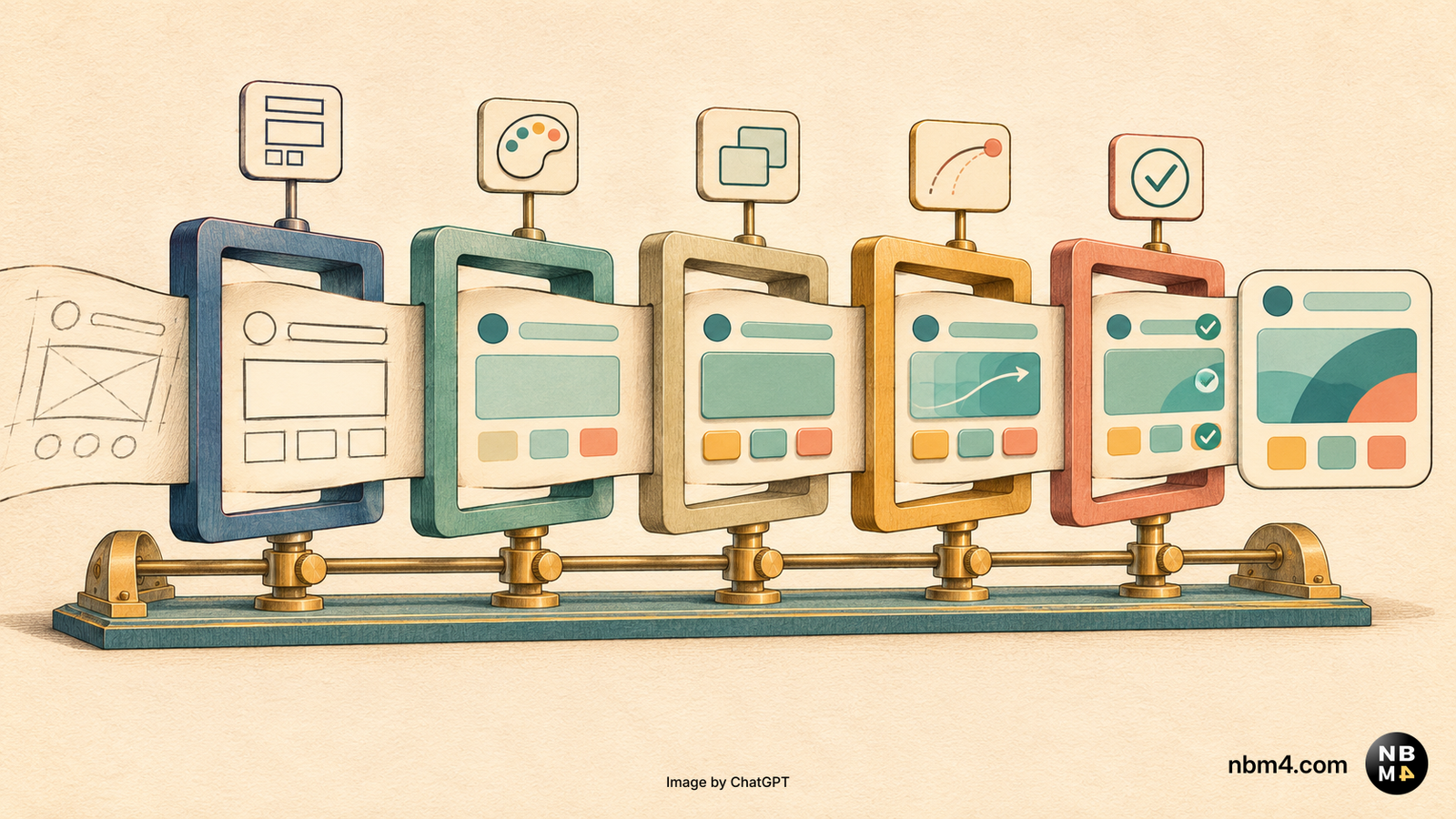


A coding agent can turn a prompt into a screen. The harder part is carrying the same design decisions through the next component, the next interaction, and the next revision. Give the agent something concrete to carry forward. A design brief can become tokens, the tokens can constrain components, and the rendered interface can be checked against the brief.
This guide proposes five stages, each with an output the next stage can use and a check you can run before moving on. Try the explorer first, then use the motion sandbox to compare two treatments of the same interaction.
Architecture overview
Choose a stage to see its inputs, expected outputs, candidate tools, and review criteria. Switch to Artifact Flow to follow what passes from the initial product prompt to the browser audit.
The explorer and repository matrix preserve the commands and thresholds from the original demo. Treat them as examples and check current project documentation before installing a package or adopting a threshold. The five stages are a proposed workflow. Their effect on quality depends on the project, its constraints, and how the checks are carried out.
Stage 1 · Direction and design tokens
Start with the user’s task and the screen’s job. Put those decisions in PRODUCT.md. Use DESIGN.md to record the visual direction, typographic hierarchy, color roles, and patterns to reuse. Give the agent references and explain what to take from each one. A screenshot can show the density you want without telling the agent which hierarchy to copy.
Tools such as Anthropic’s frontend-design skill can guide the design pass. Open Design uses DESIGN.md as the design contract for an active design package. For this stage, the review is whether you can trace the proposed layout and tokens to the brief.
Stage 2 · Material and visual assets
Turn the visual direction into choices the implementation can reuse. Define surfaces, borders, elevation, and when imagery belongs in the interface. A translucent surface, for example, needs a legible foreground over changing content. Check it against both busy and quiet backgrounds before other components inherit it.
The output is a set of CSS tokens and a small collection of approved assets. Check them together in the target screen. A coherent material treatment on a marketing card can become distracting when repeated in a dense workflow.
Stage 3 · Component behavior and accessibility
Define the component’s states before adding motion. A drawer needs a trigger, an open state, a close path, and a plan for keyboard focus. Specify what happens when the user dismisses it, where focus returns, and how error and loading states appear. Base UI’s current setup guide is a starting point for adopting its React primitives.
Review the composed component in the browser. Walk through the task using the keyboard and inspect the accessible names and states. The choice of component library is only one input to that check.
Stage 4 · Motion and product staging
Give motion a job. A drawer should make its point of origin clear. A toast should acknowledge an action without taking over the screen. Set the timing, easing, and reduced-motion behavior for those jobs, then test the transitions with real copy and repeated use.
Switch modes in the sandbox, replay the entrance, open and close the drawer, stack the toasts, and turn on long copy. The curve and timing change with the selected mode. The readout shows the configuration of this demo. A production frame-rate or accessibility claim needs a separate measurement.
Stage 5 · Browser verification
Use the rendered page to check the decisions handed down from the earlier stages. Start with the main task, then test narrow and wide viewports, long labels, keyboard focus, and reduced motion. Playwright MCP provides structured accessibility snapshots for browser automation. Keep visual checks where spacing, clipping, or hierarchy needs a screenshot and human judgment.
Record which constraint failed and which artifact owns the correction. If the layout clips a valid label, update the component or its layout rules so the correction survives the next revision.
Repository reference matrix
Filter the original reference matrix by stage to compare the examples. Use the repository documentation for current setup and compatibility.
Put the stages to work
Start with one flow. Give the agent a brief and a token set, choose one component with meaningful states, and define the browser checks before implementation. Load the guidance needed for the stage at hand. A small change may reuse decisions from several earlier stages. It still needs a way to show whether those decisions held in the rendered interface.
Works Cited
- “Frontend Design.” GitHub, https://github.com/anthropics/skills/blob/main/skills/frontend-design/SKILL.md. Accessed 22 Nov. 2026.
- “Open Design.” GitHub, https://github.com/nexu-io/open-design. Accessed 22 Nov. 2026.
- “Playwright MCP.” GitHub, https://github.com/microsoft/playwright-mcp. Accessed 22 Nov. 2026.
- “Quick start.” Base UI, https://base-ui.com/react/overview/quick-start. Accessed 22 Nov. 2026.
Leave a Reply